Education AV · Lecture Halls & Auditoriums

Lecture Capture

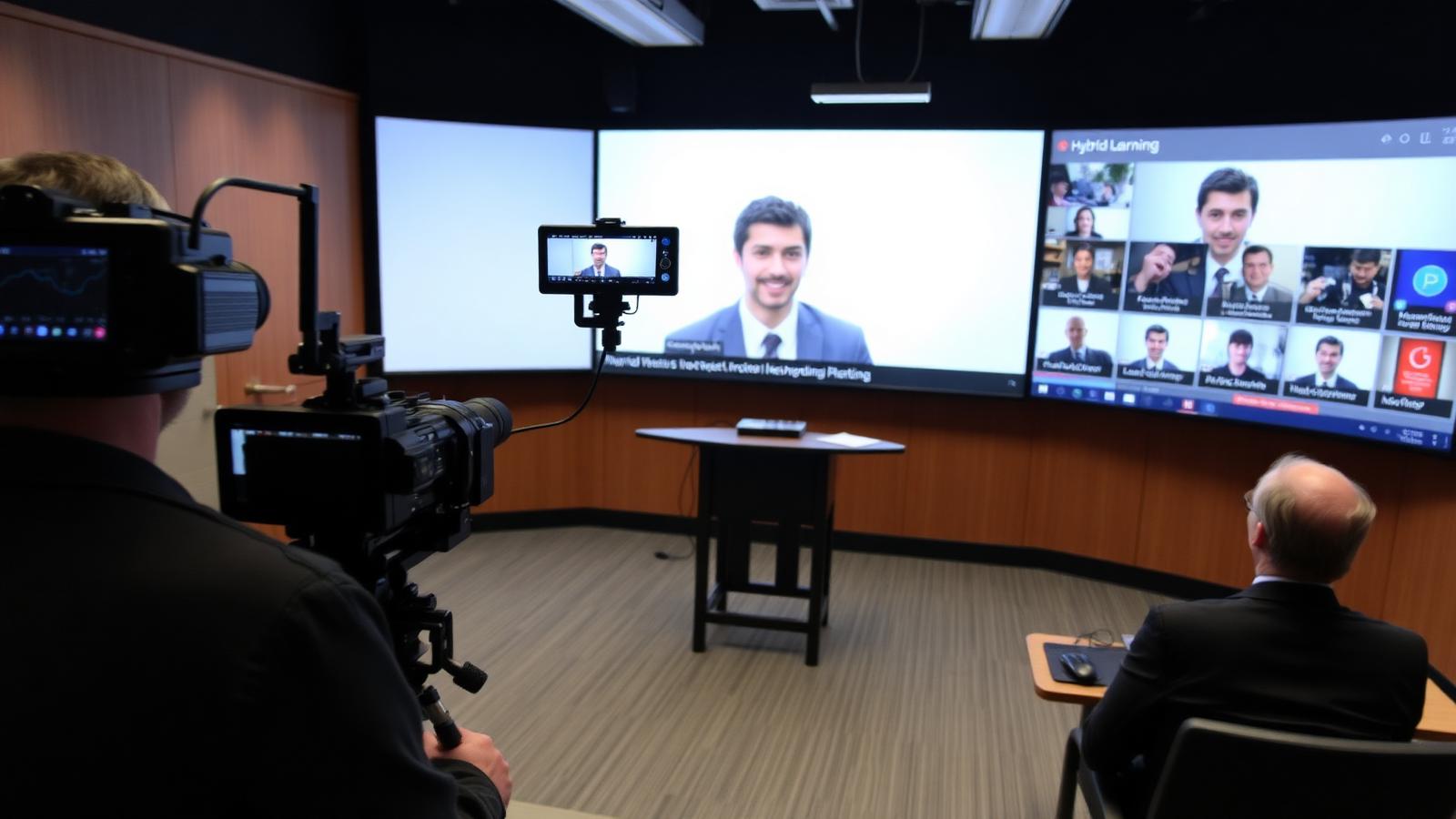
Automated recording, live-streaming, and LMS integration for hybrid learning.

©
Lecture capture & streaming

Lecture Capture

A focused motion preview for lecture capture within CaesarTechs' education av portfolio.

©
In-depth overview

A closer look at lecture capture.

Automated recording, live-streaming, and LMS integration for hybrid learning.

Within CaesarTechs' education av practice, lecture capture is engineered as a full stack — from source and processing to display, control, acoustics, network, and power. Every decision is made against the room, venue, or environment it operates in, so the finished system feels intentional rather than assembled from a parts list.

Our lecture halls & auditoriums teams pair proven manufacturer partners with in-house design and commissioning. That means the lecture capture you sign off in concept is the lecture capture you get in the field: color-matched, calibrated, and documented, with a clear service path after handover.

Projects typically move through discovery, concept design, technical design, procurement, installation, commissioning, and support. At each stage you get a named point of contact, a working prototype or mock-up when it matters, and change control that protects both budget and schedule.
What we design
  • Lecture Capture concept, sightlines, and viewing geometry
  • Education AV product selection with brand comparison
  • Signal flow, control, and network architecture
  • Structural mounting, power, cooling, and service access
  • Content, UX, and operator workflow
  • Commissioning, calibration, and acceptance testing
Typical use cases
  • Enterprise HQ lecture capture
  • Retail & hospitality lecture capture
  • Public venues & landmarks
  • Government & mission-critical
  • Broadcast, sports & entertainment
  • Education, healthcare & training
©
CaesarTechs Education standard

Recording that happens because it is scheduled — not because someone remembered to press record.

©
How it works

From survey to a room teachers can actually use.

1Step

Schedule

The timetable triggers the recording; no operator is required in the room.

2Step

Capture

Camera, presentation feed and microphone audio are recorded as separate tracks.

3Step

Process

The recording is encoded, captioned and named against the module.

4Step

Publish

It appears in the LMS for the enrolled cohort within minutes.

©
Products & systems

What goes into the room.

Category-level specifications with the features, the teaching benefit and the integration path — the detail procurement and consultants ask for.

Capture appliance in an education environment
Lecture theatres, seminar rooms, clinical skills suites.

Capture appliance

Hardware recorder that captures camera, content and audio in sync.

  • Multi-track camera and content capture
  • Scheduled and manual recording
  • Live streaming output
  • LMS publishing integration
Benefit
Every timetabled session is available for revision without staff effort.
Integration
Fed from the room switcher and DSP, triggered by the campus timetable system.
Auto-tracking camera in an education environment
Theatres and studios where the lecturer moves while teaching.

Auto-tracking camera

PTZ camera that follows the presenter across the teaching wall.

  • Presenter tracking and auto-framing
  • Preset positions per room
  • IP and USB output
Benefit
Recordings look produced without anyone operating a camera.
Integration
Recalled by room control presets and available to both capture and video calls.
SonyBosch
©
Hybrid session simulator

Walk a hybrid lesson from schedule to LMS.

Step through the automated capture chain and watch in-room and remote experience come up together — the outcome CaesarTechs commissions against.

Stage 2 / 5
Presenter tracked

The front camera frames the teacher and follows them across the wall.

In-room experience
Remote experience
©
Application scenarios

Where this is deployed.

Revision archive

Every module recorded and searchable for the cohort.

Live overflow

A full theatre streamed to a second room during peak weeks.

©
System architecture

The signal chain, end to end.

Documented as-built for every room family, so campus IT and facilities can support the estate without calling the integrator first.

CameraContent feedDSP audioCapture applianceEncoderLMS
Audio for capture taken from the DSP, never from a camera microphone
Timetable integration tested end-to-end before go-live
Storage, retention and captioning workflow agreed with the institution
©
Supporting brands

Technologies behind the classroom.

Education deployments are built on CaesarTechs' represented portfolio — Samsung and JCV displays with approved audio, control and processing partners.

All CaesarTechs brands →
Sony logo
Bosch logo
Samsung logo
JC Vision logo
ITC TECH logo
Fohhn logo
Extron logo
Crestron logo
Barco logo
©
Continue in Education

More from lecture halls & auditoriums.

All Education AV pages →
©

Plan your lecture capture rollout.

Share your room schedule and CaesarTechs will return a room-family specification, drawings and a phased campus rollout plan.

©