Education AV · Distance Learning & Campus AV

Language Labs

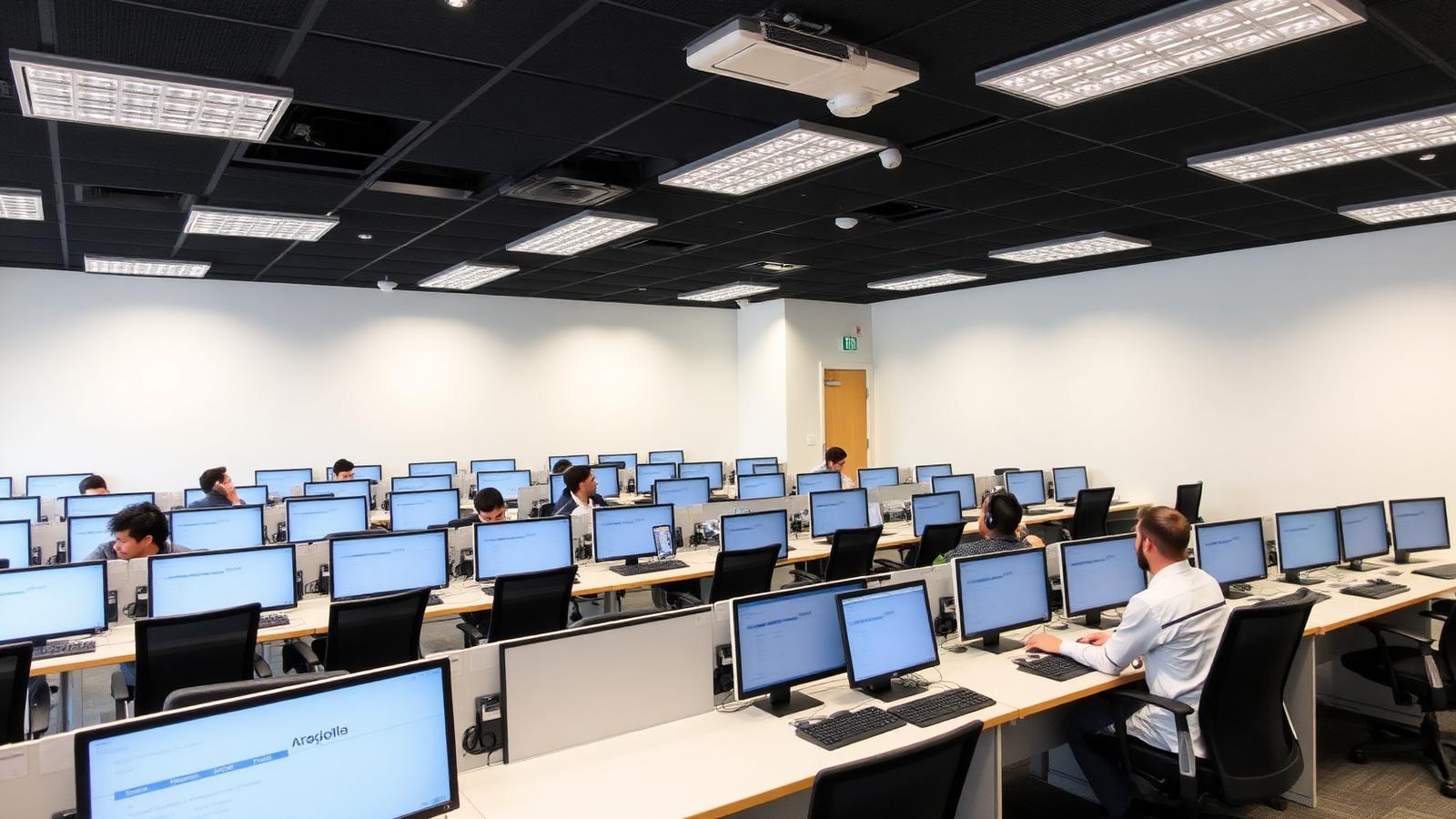
Multi-station interactive language learning with instructor control.

©
Interactive language lab

Language Labs

A focused motion preview for language labs within CaesarTechs' education av portfolio.

©
In-depth overview

A closer look at language labs.

Multi-station interactive language learning with instructor control.

Within CaesarTechs' education av practice, language labs is engineered as a full stack — from source and processing to display, control, acoustics, network, and power. Every decision is made against the room, venue, or environment it operates in, so the finished system feels intentional rather than assembled from a parts list.

Our distance learning & campus av teams pair proven manufacturer partners with in-house design and commissioning. That means the language labs you sign off in concept is the language labs you get in the field: color-matched, calibrated, and documented, with a clear service path after handover.

Projects typically move through discovery, concept design, technical design, procurement, installation, commissioning, and support. At each stage you get a named point of contact, a working prototype or mock-up when it matters, and change control that protects both budget and schedule.
What we design
  • Language Labs concept, sightlines, and viewing geometry
  • Education AV product selection with brand comparison
  • Signal flow, control, and network architecture
  • Structural mounting, power, cooling, and service access
  • Content, UX, and operator workflow
  • Commissioning, calibration, and acceptance testing
Typical use cases
  • Enterprise HQ language labs
  • Retail & hospitality language labs
  • Public venues & landmarks
  • Government & mission-critical
  • Broadcast, sports & entertainment
  • Education, healthcare & training
©
CaesarTechs Education standard

Every station heard individually, and any station shared with the whole class in one tap.

©
How it works

From survey to a room teachers can actually use.

1Step

Assign

Students are seated at numbered stations registered in the instructor console.

2Step

Monitor

The instructor listens to any station privately without interrupting the class.

3Step

Intervene

Two-way coaching to one student, a pair or a group.

4Step

Broadcast

Any station's screen or audio is pushed to the whole room instantly.

©
Products & systems

What goes into the room.

Category-level specifications with the features, the teaching benefit and the integration path — the detail procurement and consultants ask for.

Instructor console & station audio in an education environment
Language laboratories, pronunciation and interpretation training.

Instructor console & station audio

Per-station headsets with an instructor position that can monitor, coach and pair students.

  • Private monitoring per station
  • Two-way coaching and pairing
  • Group and class broadcast
  • Session recording per student
Benefit
Speaking practice becomes measurable instead of anecdotal.
Integration
Interlocked with the room display system so audio and screen share stay in sync.
AV-over-IP station distribution in an education environment
Language, computing and innovation labs.

AV-over-IP station distribution

Networked distribution so any source reaches any station or the main display.

  • Any-to-any station routing
  • Low-latency network transport
  • Instructor push to all stations
Benefit
Lab layouts can change without re-cabling the room.
Integration
Runs on a design-agreed VLAN with campus IT, monitored centrally.
ExtronCrestron
©
Interactive demonstration

Run the room, mode by mode.

Every CaesarTechs teaching room ships with the same set of named modes. Select one to see what the display, audio and control system do.

Lesson 04 — board restored
Display / lighting scene
Voice-lift level
©
Application scenarios

Where this is deployed.

Pronunciation drill

Paired students recorded and reviewed against the instructor model.

Assessment

Per-station recording collected as evidence for grading.

©
System architecture

The signal chain, end to end.

Documented as-built for every room family, so campus IT and facilities can support the estate without calling the integrator first.

StationNetwork switchInstructor consoleMain displayRecording
Network capacity and multicast design validated with campus IT
Station ergonomics and cable containment designed into the furniture
Instructor workflow rehearsed with teaching staff at handover
©
Supporting brands

Technologies behind the classroom.

Education deployments are built on CaesarTechs' represented portfolio — Samsung and JCV displays with approved audio, control and processing partners.

All CaesarTechs brands →
Extron logo
Crestron logo
Samsung logo
JC Vision logo
ITC TECH logo
Fohhn logo
Barco logo
©
Continue in Education

More from distance learning & campus av.

All Education AV pages →
©

Plan your language labs rollout.

Share your room schedule and CaesarTechs will return a room-family specification, drawings and a phased campus rollout plan.

©